Borrowing a walk: retarget a clip
What you have: case 4's own rigged, weight-painted character, one short "wave" clip on it already. What you want: a second clip, borrowed from a completely different rig, walking on this character's own bones.
This is screen 14 — the clip library, bone mapping and blending T5's own
S7 built.
1. Import a source clip
Open the retarget screen and Import RiggedFigure.glb — a real Khronos
sample: a nineteen-joint skin (torso_joint_1..3, neck_joint_1..2, an
arm_joint/leg_joint pair per side) and one clip animating every one of
them, a walk-in-place cycle. The clip library now shows one card, "animation
0" (the file itself names its own clip nothing else), two keyframes.
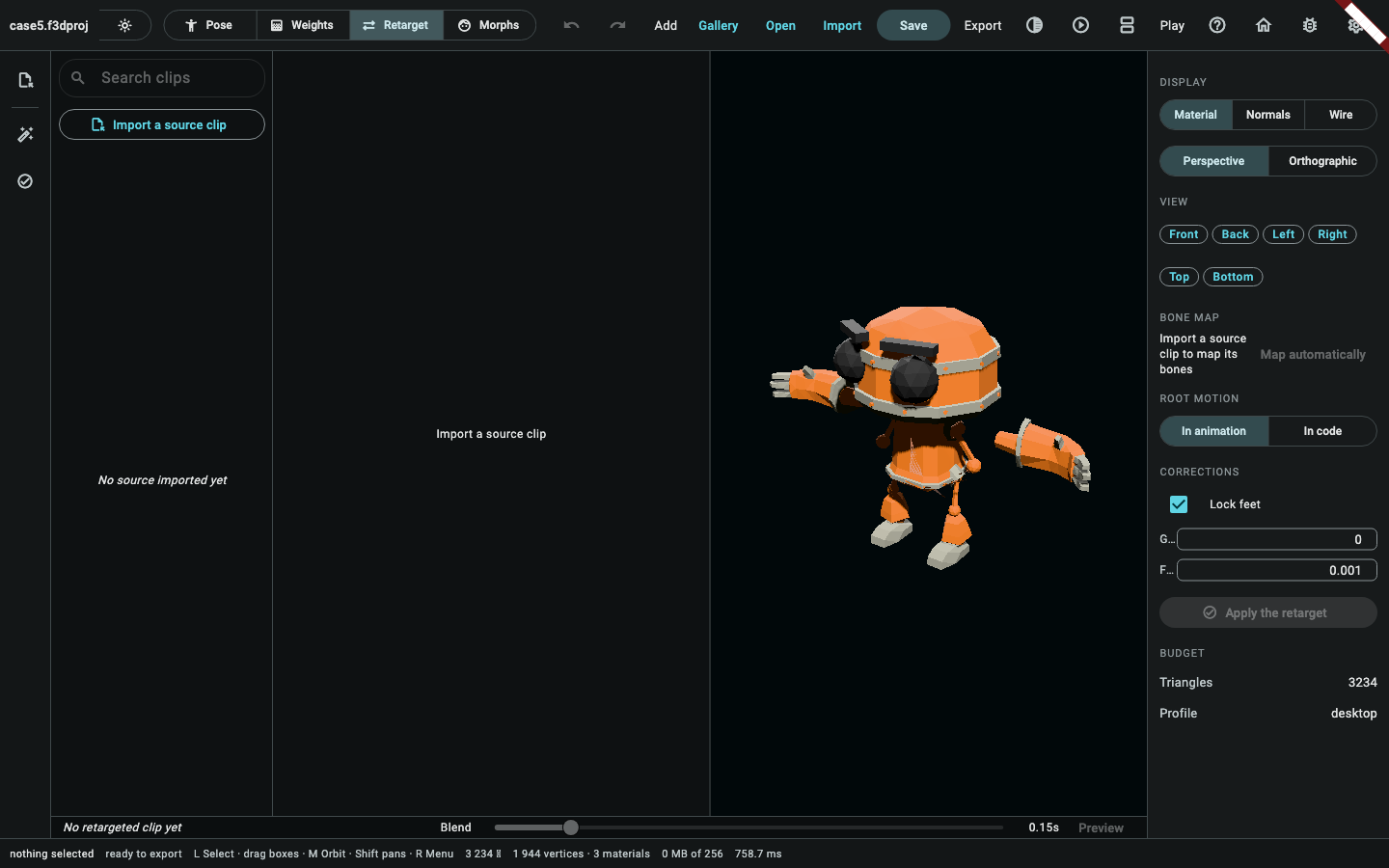
Two side-by-side viewports appear — the source rig on the left, this
character on the right, both on the same ModelerStage, picking off in the
source the way the material studio's own two-viewport dialog already keeps
it off in its second one.
2. Auto-map — matched by chain position
Press Auto-map. The bone-map table comes back with seventeen of its nineteen rows filled in already:
| Source | Target |
|---|---|
torso_joint_1 |
hips |
torso_joint_2 |
spine |
torso_joint_3 |
chest |
neck_joint_1 |
neck |
neck_joint_2 |
head |
arm_joint_L_1 / arm_joint_R_1 |
leftShoulder / rightShoulder |
arm_joint_L_2 / arm_joint_R_2 |
leftElbow / rightElbow |
arm_joint_L_3 / arm_joint_R_3 |
leftWrist / rightWrist |
leg_joint_L_1 / leg_joint_R_1 |
leftHip / rightHip |
leg_joint_L_2 / leg_joint_R_2 |
leftKnee / rightKnee |
leg_joint_L_3 / leg_joint_R_3 |
leftAnkle / rightAnkle |
The source file's own two toe-tip bones (leg_joint_L_5/leg_joint_R_5)
stay unmapped — RigTemplate.humanoid has no toe joint for either to land
on, and retargetClip drops an unmapped source bone's track rather than
guessing at one. Nothing to type in by hand this time.
tut-13, closed:looseAutoMapnow reads a chain by position, not just a word.RiggedFigure.glb's own joint words (torso/arm/leg/neck) are generic placeholderslooseAutoMap's own synonym tables never carried, andarm_joint_L_1/_2/_3differ from each other only by a trailing numeric chain index (shoulder/elbow/wrist) — a shape no word lookup could read regardless of where the side marker sat, which is as far as this case's own gap got before now.looseAutoMapreads a third way today, alongside the Mixamo/Biped/anywhere-in-name synonym lookups: a recognised body-part word (torso,neck,arm,leg) plus its own trailing chain-index token, resolved by position in that chain rather than by a synonym — root first, soarm_joint_L_1is always the shoulder andarm_joint_L_3is always the wrist, on either side, whichever limb. Confirmed directly against this file's own real nineteen joint names, decoded straight offRiggedFigure.glb.
3. Lock feet
Lock feet is on by default, and stays on. Turning it on for this exact
pair of rigs used to throw a RangeError inside flutter3d_rig's own
_lockFeet — found writing this case, tracked as tut-12, and since fixed.
What the crash was, and what fixed it.
RiggedFigure.glb's own clip animates every joint's translation, rotation and scale, not only the root's —_lockFeet's owntracksByNodeIdused to keep exactly one track per target joint (a plainMap<int, RigTrack>), so building it for a joint that carries all three retargeted tracks silently kept only the last one built (the scale track) and dropped the rotation one it actually needs; its own per-key indexing math then read that three-floats-per-key buffer as if it always held four-floats-per-key quaternions and ran past its own end._lockFeetnow keys that lookup by node and path, so a joint's translation, rotation and scale tracks all survive, and the foot lock runs its real correction on this pair of rigs the way screen 14's own toggle has always promised.
Root motion: In code. Leaving root motion in the clip's own hip
translation would have the character sliding in place on every loop; In
code runs ExtractRootMotion on the clip's own hips track right after it
lands, moving the translation into the clip's flutter3dRootMotion extra
for the game code to read separately.
4. Apply, and blend
Apply runs the retarget and lands the result as a new clip —
ApplyClipResult(clipIndex: null) always appends, never replacing the
"wave" clip already on this character. The clip tracks bar's own blend
slider crossfades the live preview between the two clips over however many
seconds it is set to; like the weights sub-mode's own bend slider, this
crossfade is a live preview only — it never touches ModelHistory, so
there is nothing here for an agent or a headless case to call, the same
by-design shape tut-09 already names for the bend slider.
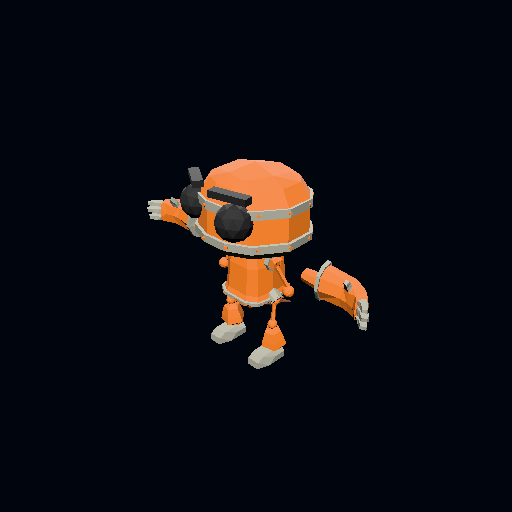
Below is this exact project, rendered headlessly through renderProject
(packages/flutter3d_model_mcp/lib/src/render_tool.dart's own underlying
function) once the retarget has landed and root motion has been extracted:
the real character, the real 17-joint rig, both clips now on the project.
Notes on this page
Time to complete: not recorded yet. TODO: a person should walk this
case by hand on a real machine and fill in a line here — "n minutes,
date, machine" — the way rel-09's own cohort rows do. Nothing in this
session could actually run the desktop app, so no time is claimed.
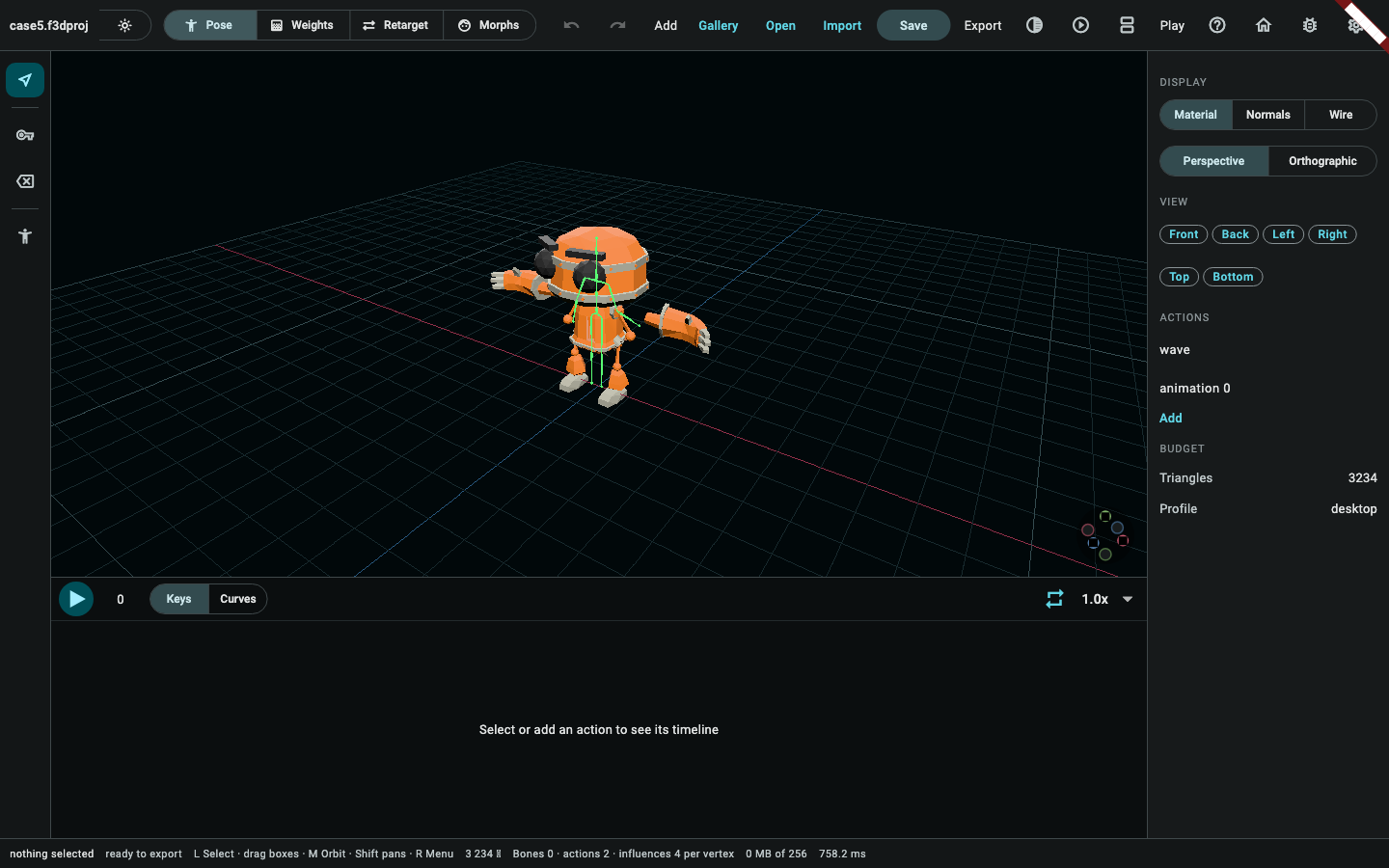
Screenshots. Both pictures of the editor on this page are real, taken
from the running application over case 5's own saved document: the retarget
screen — the clip library, the two viewports and the bone map at once, which
is what two of the old placeholders stood in for either half of — and the
animation mode with both clips on the tracks bar. They are
taken headlessly rather than by hand —
apps/flutter3d_modeler/test/tutorial_case_screenshots_test.dart drives the
real editor under the software rasteriser and photographs the window — so
they are goldens: a run says whether a panel has moved since, and one
command regenerates every page's pictures at once.
(cd apps/flutter3d_modeler && flutter test \
            test/tutorial_screenshots_test.dart \
            test/tutorial_case_screenshots_test.dart --update-goldens)
          dart run tool/publish_modeler_screenshots.dart
The blend slider is along the bottom of the second picture.
The one real render, and what it cannot show. The picture above is a
genuine CPU render of this case's own final project — case 4's own
character, its real rig, both of its clips — through the same
renderProject the render/renderSheet MCP tools use, taken after the
retarget has landed. It is not, and cannot honestly be captioned as, the
walk cycle's own mid-clip pose: tut-10 (found writing case 4, and equally
true here) already established that render_project.dart never mentions
"skin" or "skeleton" at all, so every mesh draws at its raw bind-pose
position regardless of which clip is on the project or what time within it
a caller might have in mind. See doc/modeler-tutorial-gaps.md for that
entry, alongside the now-closed tut-13 (looseAutoMap's chain-index
reading) and tut-12 (the lockFeet crash).
Proving it. packages/flutter3d_model_mcp/test/fixtures/tutorial/ case5_scenario.dart builds exactly the project this page describes, against
a live ModelSession seeded with case 4's own saved project
(case4.f3dproj, read back through readProject the way opening it in the
app would — the same "starts from the previous case's own saved project"
shape case 3 already uses for case 2). Its own runCase5Scenario: reads
RiggedFigure.glb as a RetargetSource; confirms looseAutoMap really
does map its seventeen mappable joints onto RigTemplate.humanoid correctly
(tut-13, closed) and uses that result directly as the BoneMap; calls
RetargetClipJobRequest.run() directly (the "synchronous enough for a
headless case" shape case 4's own bindWeightsJobRequestFor call already
uses, rather than through ModelerCubit.retargetInBackground) with
lockFeet left at its own default (true, now that tut-12 is fixed);
lands the result through ApplyClipResult(clipIndex: null); and extracts
root motion through ExtractRootMotion on the character's own hips joint.
tutorial_scenarios_test.dart's own case-5 group checks six things:
looseAutoMap really does map this exact pair of rigs correctly, all
seventeen pairs; retargeting the same pair with lockFeet: true no longer
throws, and every mapped joint keeps all three of its own retargeted
tracks — direct evidence
tut-12's fix keeps rather than collapses them; the case's own journal,
replayed cold from case 4's own saved project, now rebuilds the exact
document a live session reaches — tut-14, closed: ApplyClipResult is
registered in modelCommandNames/modelCommandFromJson now, so a cold
replay no longer refuses at its own first line for want of a name this
build did not know; the scenario reaches the exact project committed as
case5.f3dproj and exports the exact case5.glb, byte for byte; the
retargeted clip carries exactly the seventeen mapped joints' worth of
tracks, leaves the "wave" clip untouched, and carries its own extracted root
motion; and the exported GLB carries two real animations, the second with
genuine multi-key tracks.